
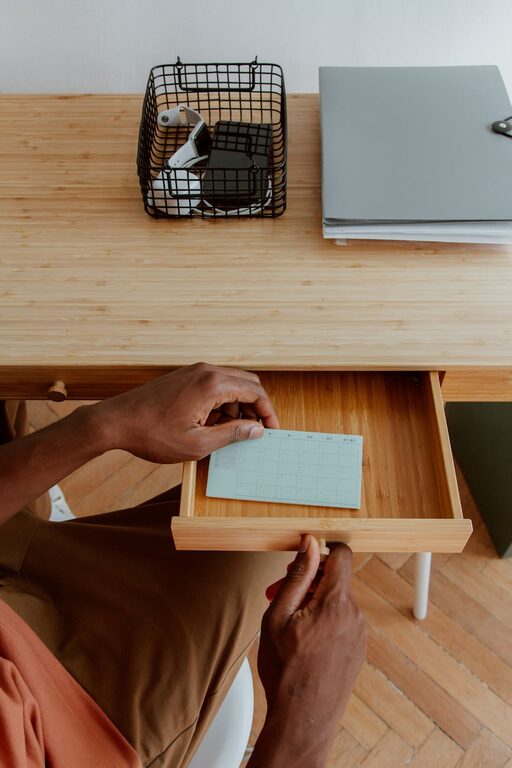
Creating a comfortable and inspiring workspace doesn’t have to take hours. Whether you’re at home or in the office, a quick ten-minute refresh can help you feel renewed and ready to tackle your tasks. A tidy and welcoming environment reduces stress and improves focus, making your workday more productive and enjoyable. Here’s a simple guide to help you refresh your workspace efficiently.
Why Refresh Your Workspace?
Even small changes can make a big difference. Over time, clutter, dust, and distractions accumulate, draining your energy and making it harder to concentrate. A brief refresh can:
– Improve your mood by making your space pleasant to be in
– Increase efficiency by reducing distractions
– Encourage creativity with a clear environment
– Promote better health by cleaning and improving air quality
Now let’s explore some easy steps to transform your workspace quickly.
Step 1: Clear the Clutter (3 minutes)
Start by removing unnecessary items from your desk surface. Clutter can cause visual distractions and increase stress.
– Put away items you don’t use daily, such as papers, gadgets, or coffee cups
– Sort through any piles of paper; file important documents and recycle the rest
– Collect loose cables and organize or tuck them away
Having a clean surface is the foundation for a refreshed workspace.
Step 2: Wipe Down Surfaces (2 minutes)
Dust and grime can accumulate quickly and make your area feel neglected.
– Use a damp microfiber cloth to wipe your desk, keyboard, mouse, and monitor screen gently
– Clean your phone or tablet with appropriate wipes
– Don’t forget less obvious spots like desk drawers handles, lamp bases, and shelves
A clean surface not only looks good but also supports better hygiene.
Step 3: Rearrange for Comfort and Productivity (2 minutes)
Sometimes, a small change in layout can help your workflow and comfort.
– Position your monitor at eye level to reduce neck strain
– Arrange your mouse and keyboard so your arms can rest naturally
– Consider moving your chair, adding a footrest, or improving lighting
Even slight tweaks can help you work more comfortably.
Step 4: Add a Touch of Greenery or Personal Flair (2 minutes)
Adding elements that inspire you can make your workspace inviting and personalized.
– Place a small plant on your desk or nearby; plants can improve air quality and mood
– Include a photo or an art piece that brings you joy
– Use a colorful pen holder, an inspiring quote, or anything meaningful that keeps you motivated
Choose simple items that don’t overcrowd your desk but add character.
Step 5: Final Quick Check and Reset (1 minute)
Before you dive back into work, do a final review:
– Make sure everything you need is within easy reach
– Take a moment to breathe and appreciate your refreshed space
– Set a small goal or intention for your next work session
This moment encourages mindfulness and a positive mindset.
—
Bonus Tips for Maintaining a Refreshing Workspace
– End each day by tidying up your desk to start fresh tomorrow
– Regularly air out the space to keep it fresh
– Use organizers or trays to keep items neatly grouped
– Limit distractions by turning off unnecessary notifications
With just a few minutes each day, you can maintain a workspace that supports your best work.
—
Refreshing your workspace doesn’t require a big effort or expensive tools. With a bit of organization, cleaning, and personalization, you can create a space that inspires focus, creativity, and productivity—all in just ten minutes. Give these tips a try today, and feel the difference a neat workspace can make!